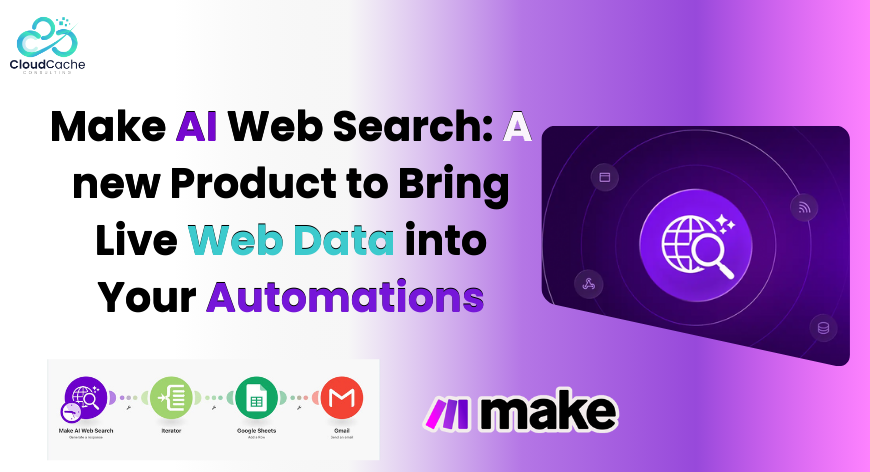
Make AI Web Search: A new Product to Bring Live Web Data into Your Automations
Most automation tools work with data you already have. Their workflows extract info from your database, your CRM, or APIs you’ve already connected. But things turn out complicated when your process relies on updated information from the wider web.
Traditionally you’d have to set up external search APIs, manage scraping services, handle API keys, and clean up messy data before it was even usable. That adds time, cost, and technical complexity to projects that should be straightforward.
What is Make AI Web Search?
Make’s new AI Web Search module changes how this works. Instead of relying on external services, you can now perform live web searches directly inside a Make scenario. It plugs into your workflow just like any other module: drag it onto the canvas, define your query, and the module returns web results that become usable data downstream.
Let’s break it down.
At its core, this feature turns the entire public search into a data source that can be queried in real time during automation runs. You no longer need separate scraping tools or API connections to pull fresh information. The results are delivered in a consistent, structured format that can easily feed into other triggers and modules including your CRM, notifications, Slack, Notion, dashboards, or AI summarization tools.
Why This Matters
What this really means is fewer points of failure and a simpler architecture. Instead of stitching together multiple external systems just to fetch the latest news about a competitor or industry topic, the search happens natively. Your scenario logic doesn’t have to import text and then transform it into usable data; it arrives ready for the next step.
Practical Uses of Make AI Web Search
The Make AI Web Search module opens up several practical possibilities:
- Automated monitoring and alerts: Searches can be scheduled for specific topics or keywords and can trigger notifications when something new happens. For instance, “track competitor mentions or regulatory developments and have alerts sent to your team automatically.”
- Lead research and management: triggers like “When a new lead enters your system, use web search to find relevant details”—like recent news about a company, social profiles, or industry context—and push this data into your CRM without manual lookup.
- Content and insights support: Now build dashboards auto-updated with curated web searches, or set up workflows that summarize latest content on any specific topic to keep reps informed.
- Search based Workflow triggers: Can now set conditional trigger logics so that when a search results include certain specified keywords, the scenario activates a follow-up action—for instance, routing information to a sales rep or updating a record when a partner or client appears in the news.
How To Implement
Getting started does not require technical setup beyond what you already do in Make. You add the Web Search module, configure the query (which can come from static text or data generated earlier in the scenario), run the scenario, and map the results into the modules that follow.
Another practical point is that this feature is available on all Make plans, and searches consume credits based on usage. Smaller models tend to keep those costs predictable.
Final words
In essence, Make’s AI Web Search feature eliminates the manual work and complexity traditionally tied to live web data. You don’t need to manage extra services or API connections. The internet becomes a native data source in your visual workflows, making it easier to automate research, enrich data, and respond proactively to changes outside your internal systems.
For more such updates stay connected with CloudCache Consulting.