Make.com Introduces the Simple Text Prompt Module: A Practical AI Automation
AI has reached a point where its value is no longer theoretical. Teams want:
- real outcomes.
- Faster decisions.
- Cleaner content.
- Better summaries.
- Smart Automated workflows.
Yet, many reps still juggle to use them in an efficient way in their day-to-day processes. It is because their process is not streamlined and make.com addresses it.
Make.com Simple Text Prompt Module
Make’s new Simple Text Prompt module addresses that problem directly.
Instead of asking users to think about APIs, tokens, providers, or model architecture, the module reduces AI usage to its most natural form: a written instruction. You type what you want the AI to do. You run the scenario. The output becomes part of your automation. Nothing more is required.
This is not an abstraction layered on top of complexity rather it's an easy way out.
What the Simple Text Prompt Module Actually Does
At its core, the Simple Text Prompt module lets users interact with advanced AI models using plain language, directly inside a Make scenario.
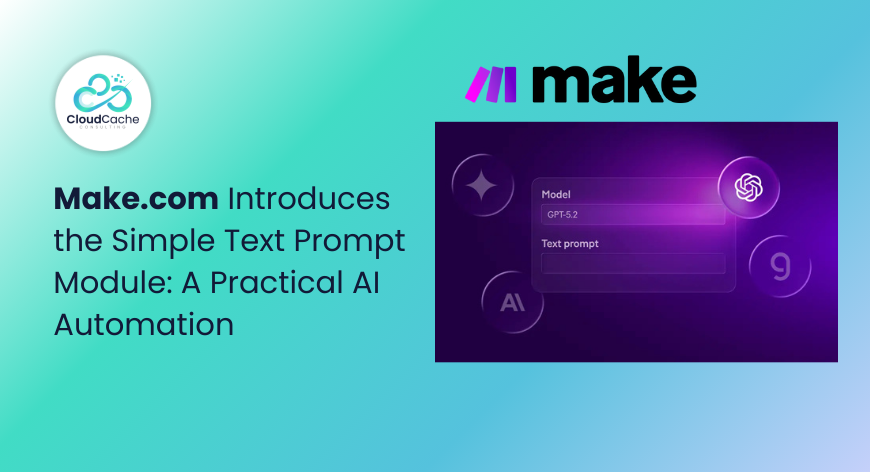
There is no prerequisite configuration. No external authentication. No model wiring. You add the module, select a model, write a prompt, and execute.
Behind the scenes, Make handles the infrastructure, the provider connections, and the execution logic. From the user’s perspective, AI becomes just another step in a workflow.
The module includes built-in access to leading models, including:
- OpenAI
- Claude
- Gemini
- Groq
Why AI Adoption Still Slows Down
Most automation users do not avoid AI because they doubt its usefulness. They avoid it because the setup cost feels disproportionate to the task.
Common blockers show up repeatedly in real projects:
- Needing separate accounts across multiple AI vendors
- Managing API keys, usage limits, and billing rules
- Uncertainty around which model fits which use case
- Confusion about prompt structure inside automation logic
- Fear of breaking workflows due to misconfiguration
For someone experimenting with automation for the first time, these hurdles often stop progress entirely. Even experienced operations or RevOps teams hesitate when AI becomes another system to govern instead of a tool to use.
The Simple Text Prompt module is clearly designed for this audience. It removes the cognitive overhead that normally comes with AI adoption.
How the Module Works
The strength of this feature is its lack of ceremony. There is no learning curve disguised as simplicity. It is genuinely minimal.
A typical setup looks like this:
- Add the Simple Text Prompt module to your scenario
- Choose the AI model you want to use
- Write a natural language instruction describing the task
- Run the scenario and use the output downstream
That is the entire process.
There are no hidden parameters to tune unless you want to. No structured prompt syntax is required. The module is forgiving by design, which makes it suitable for business users, not just technical builders.
Once configured, the output can be passed into any other Make module.
Use Cases
The Simple Text Prompt module is not positioned as a replacement for advanced AI agents or complex reasoning chains. It is meant for practical, repeatable tasks where intelligence adds value without demanding supervision.
Some of the most effective use cases include:
- Summarising incoming emails or support tickets before routing
- Condensing long documents into executive-level briefs
- Rewriting internal notes into client-ready language
- Generating first drafts for marketing or sales content
- Creating personalised responses using CRM context
- Enhancing workflows with basic reasoning or classification
These are not experimental scenarios. They are everyday operational tasks that consume time and attention.
By placing AI directly inside the automation, teams avoid context switching. There is no need to copy content into external tools, wait for responses, and paste results back into systems.
Why Model Choice Still Matters, Even When It’s Simple
Although the module simplifies access, it does not eliminate the importance of choosing the right model. The difference is that experimentation becomes easy and low-risk.
You can run the same prompt across different models and observe differences in tone, accuracy, or reasoning. Over time, teams develop intuition around which models suit which tasks.
For example:
- Some models may excel at concise summaries
- Others may produce more structured or formal content
- Certain models may respond faster for lightweight tasks
The Simple Text Prompt module encourages this kind of learning without forcing it upfront. You start using AI first, then refine later.
Who Benefits Most From the Simple Text Prompt Module
The module is especially valuable for users who:
- Are new to automation platforms
- Want to avoid managing multiple AI accounts
- Feel uncertain about choosing the right AI provider
- Need fast prototypes for internal workflows
- Are exploring AI use cases inside their teams
For these users, the Simple Text Prompt module offers clarity.
Final Words
The Simple Text Prompt module does not try to impress with technical depth. It succeeds by respecting the user’s time and intent.
By allowing anyone to use powerful AI models with nothing more than a written instruction, Make removes one of the last psychological barriers to AI adoption in automation.
Just a prompt, a workflow, and a result.
For more such information stay connected with CloudCache Consulting.